A combined tax rate is the total rate created when state, local, provincial, or special district taxes apply to the same taxable sale. Reverse tax uses the combined rate as one multiplier when all taxes share the same base and appear as one tax-inclusive total. Separate bases, stacked taxes, exempt lines, reduced rates, and receipt rounding can prevent a combined rate from matching every item on the receipt.
This page explains what a combined tax rate is, when rates can be added together, when they must not be combined, and how to use the combined rate safely in receipts, invoices, spreadsheets, GST, PST, QST, HST, VAT, and local sales tax calculations.
What Is a Combined Tax Rate?
A combined tax rate is the sum of tax rates that apply to the same taxable base. If state sales tax is 6% and local tax is 2%, the combined rate is 8% when both taxes apply to the same taxable amount.
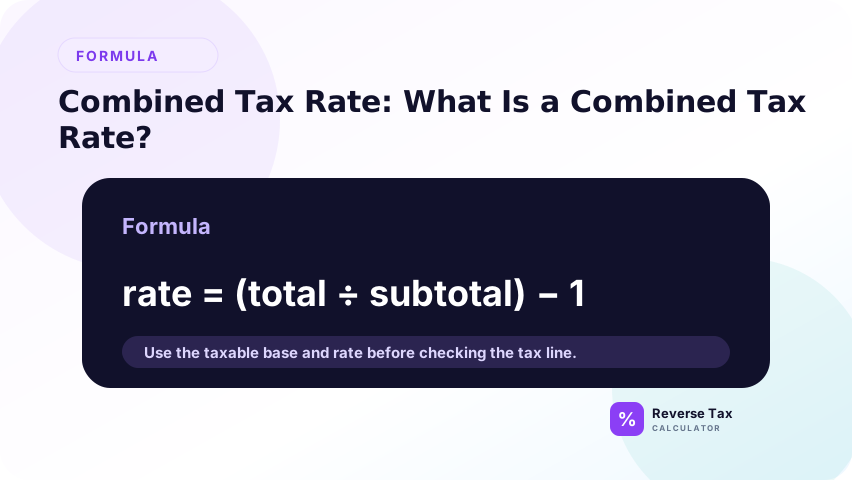
In reverse tax, the combined rate becomes part of the divisor. A total including 8% tax is divided by 1.08 to find the before-tax amount.
How Do You Calculate a Combined Tax Rate?
Add the component rates only when they apply additively to the same base:
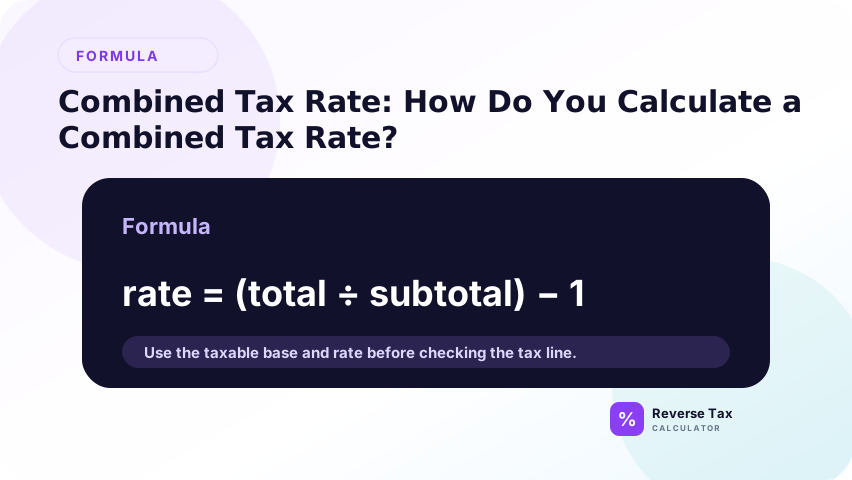
Combined tax rate = Rate 1 + Rate 2 + Rate 3
Example: 5% GST plus 7% PST equals a 12% combined rate if both taxes apply to the same $100.00 taxable base. The total is $112.00, and the reverse formula is $112.00 divided by 1.12.
The rate should be converted into a decimal before it is used in a formula. A 12% combined rate becomes 0.12, so the reverse divisor becomes 1.12. Keeping the component rates visible matters because the combined rate may be useful for calculation while the separate tax amounts may still be needed for records.
Why Combined Rate Depends on the Tax Base
The tax base is the amount the rate applies to. Rates can be combined only when the same base is used. If one tax applies to all items and another applies only to some items, one combined rate for the whole receipt is not valid.
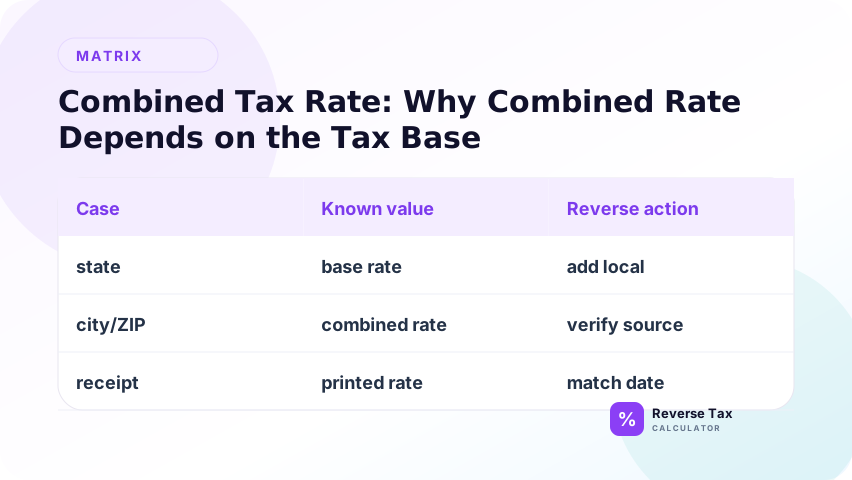
This is the main operational risk. A combined rate may look mathematically clean, but it can be wrong if the receipt includes exempt items, shipping, deposits, discounts, or item categories with different tax treatment.
Combined Tax Rate vs Single Tax Rate
A single tax rate comes from one tax line. A combined tax rate summarizes multiple additive rates into one rate for calculation.
| Rate type | Example | Reverse formula |
|---|---|---|
| Single rate | 8% sales tax | Total / 1.08 |
| Combined rate | 5% GST plus 7% PST | Total / 1.12 |
The combined rate is a convenience, not a separate tax. The component taxes still matter for reporting and reconciliation.
Combined Tax Rate vs Stacked Tax
Combined additive tax means each tax applies to the same base. Stacked tax means one tax is calculated on a base that may include another tax. Those two structures can produce different totals.
Do not assume every multi-tax receipt is additive. The additive vs stacked taxes guide explains how the order of calculation changes the reverse formula.
This distinction is not academic. If a spreadsheet adds rates that should have been applied sequentially, every row can be slightly wrong. If a receipt uses additive taxes but the calculator treats them as stacked, the pre-tax amount will also be wrong. The tax base and calculation order decide which method is valid.
How Combined Tax Rate Works in Sales Tax
In U.S. sales tax, a customer may face state, county, city, and district rates. The total shown on a receipt may reflect the combined rate for the location and product type.
For reverse tax, use the combined rate that actually applied to the transaction, not only the state rate. The state tax rate vs local combined rate article explains why state-only calculations often fail.
How Combined Tax Rate Works with GST and PST
In some Canadian contexts, GST and PST can appear as separate lines. If both apply to the same taxable base, the rates can be added for a reverse calculation. For example, 5% GST plus 7% PST gives a 12% divisor when both apply to the same amount.
If the receipt shows GST and PST amounts separately, use those amounts as evidence. The PST glossary explains why provincial rules and item taxability must still be checked.
How Combined Tax Rate Works with GST and QST
For common Quebec GST and QST reverse calculations, the working combined rate is 14.975% when GST at 5% and QST at 9.975% both apply to the same selling price. The reverse divisor is 1.14975.
Revenu Quebec explains the GST and QST rate structure. Use that official guidance for compliance-sensitive assumptions, because a formula cannot decide whether a supply is taxable, zero-rated, exempt, or subject to special treatment.
When Should You Not Combine Rates?
Do not combine rates when taxes apply to different bases, different line items, different product categories, or different jurisdictions. Also avoid combining rates when one tax is shown as already included and another is added later.
If the receipt gives separate tax amounts, subtract those known amounts instead of estimating the split from a combined rate. Source amounts are stronger evidence than reconstructed rates.
How to Use Combined Rate in Spreadsheets
Use separate columns for each component rate and one calculated combined-rate column. For example:
=GST_Rate+PST_Rate
Reverse formula:
=TaxInclusiveTotal/(1+CombinedRate)
Keep component rates visible so the spreadsheet can still support reporting, audit review, and troubleshooting.
For a stronger workflow, add separate columns for calculated base, tax one amount, tax two amount, rebuilt total, and variance. The variance column should compare the rebuilt total with the original receipt total. Any non-rounding variance should be reviewed before the row is used for bookkeeping or reporting.
Combined Rate Decision Table
| Situation | Can you combine rates? | Safer action |
|---|---|---|
| All taxes apply to same taxable base | Yes | Use one combined divisor |
| Tax amounts are shown separately | Not needed | Subtract shown tax amounts |
| Mixed taxable and exempt items | No | Split item groups |
| Different taxes apply to different items | No | Calculate each base separately |
| Stacked or sequential tax applies | Not as simple addition | Use stacked-tax method |
This table is a decision aid, not a legal classification tool.
How to Check a Combined Rate Calculation
After calculating the pre-tax amount, calculate each tax component separately from the same base. Add the base and all tax components back together. The rebuilt total should match the original total except for rounding.
If the rebuilt total fails, check whether the component rates apply to the same base, whether any item is exempt, whether the rate is current, and whether the receipt rounds by item or by total.
Trust Boundary
Combined tax rate is a calculation shortcut. It does not prove that each tax applies, that the product is taxable, that the rate is current, or that taxes are reported together. It only helps reverse a total when the component rates apply additively to the same base.
Use official tax authority guidance for rates, exemptions, product taxability, and compliance-sensitive decisions.
Frequently Asked Questions
What does combined tax rate mean?
Combined tax rate means the total rate created by adding tax rates that apply to the same taxable base. If a state rate is 6% and a local rate is 2%, the combined rate is 8% when both apply to the same amount.
Can I always add tax rates together?
No. You can add rates only when they apply to the same taxable base additively. If different items, categories, or tax bases are involved, split the calculation instead of using one combined rate.
What combined rate do GST and QST use?
Common Quebec GST and QST calculations use 5% GST plus 9.975% QST, creating a 14.975% working combined rate when both apply to the same selling price. Always verify the current rule and transaction treatment with Revenu Quebec.
Sources and Notes
- Revenu Quebec GST/HST and QST guidance
- CRA GST/HST rates and rules
- Formula source: arithmetic relationship between additive rates, taxable base, and tax-inclusive total.