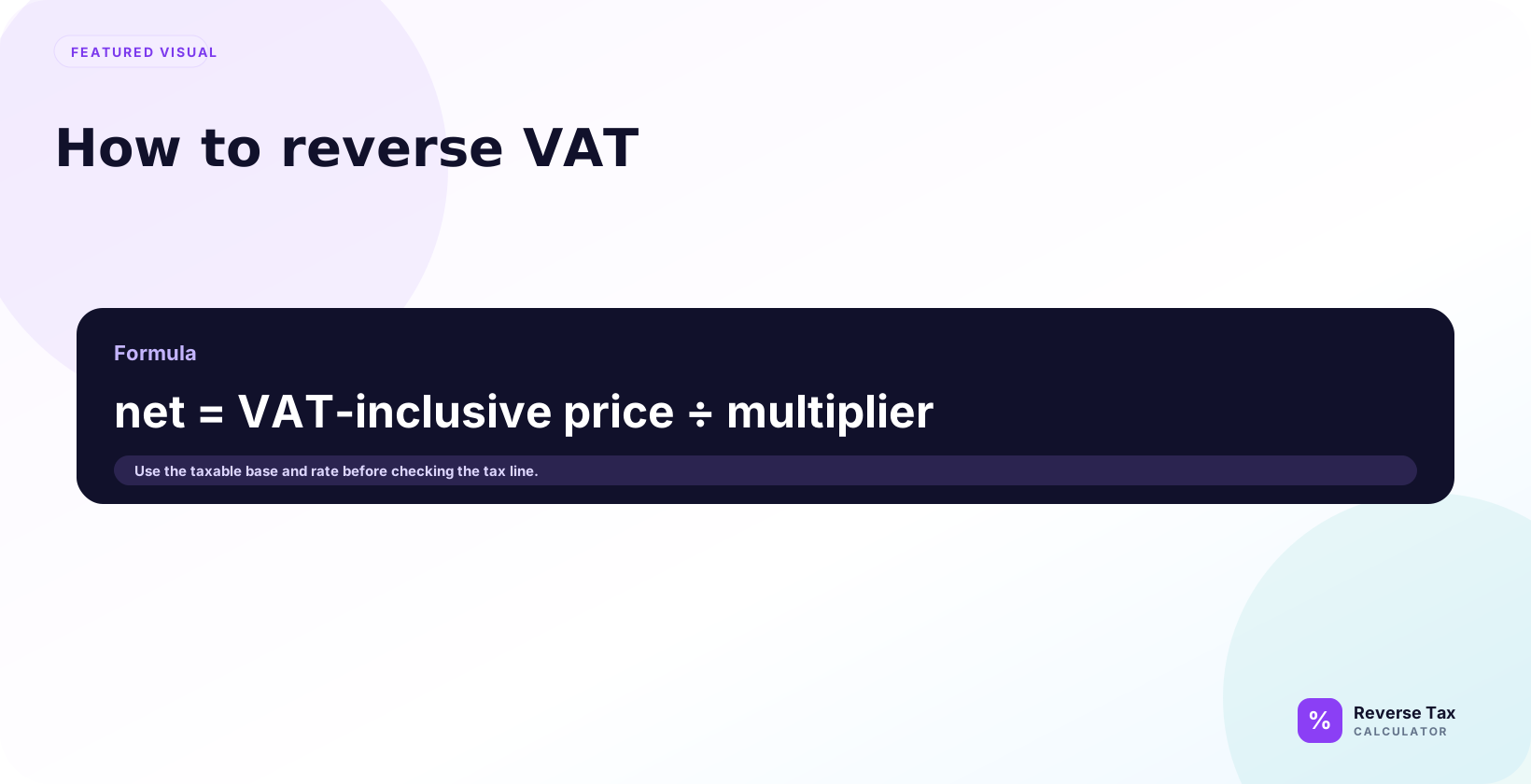
Reverse VAT calculation removes Value Added Tax from a VAT-inclusive price by dividing the gross total by 1 plus the VAT rate as a decimal. The output gives the net price before VAT and the VAT amount already included in the total. The calculation depends on the correct VAT rate, invoice wording, taxable base, rounding method, zero-rated items, exemptions, discounts, and whether the price is truly VAT-inclusive.
Formula:
Pre-VAT amount = VAT-inclusive total / (1 + VAT rate / 100)
Then:
VAT included = VAT-inclusive total - pre-VAT amount
What Does Reverse VAT Mean?
Reverse VAT means removing VAT from a gross price to find the net price and VAT amount.
| Term | Meaning |
|---|---|
| Net price | Price before VAT |
| VAT amount | Tax included in gross price |
| Gross price | Price including VAT |
Reverse VAT is useful for invoices, receipts, product pricing, refunds, and checking tax-inclusive prices.
Reverse VAT Formula
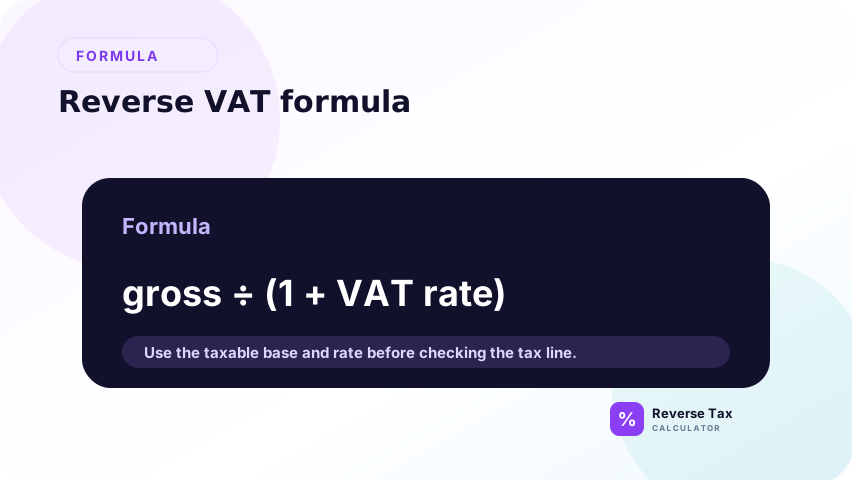
The reverse VAT formula answers the query "how do I remove VAT from a gross total?" Divide the VAT-inclusive total by 1 plus the VAT rate to find the net amount, then subtract the net amount from the total to find VAT. This works only when the total is fully VAT-inclusive at one rate. Mixed rates, exempt lines, refunds, and discounts need line-level separation first.
Use:
Net price = Gross price / (1 + VAT rate / 100)
For 20 percent:
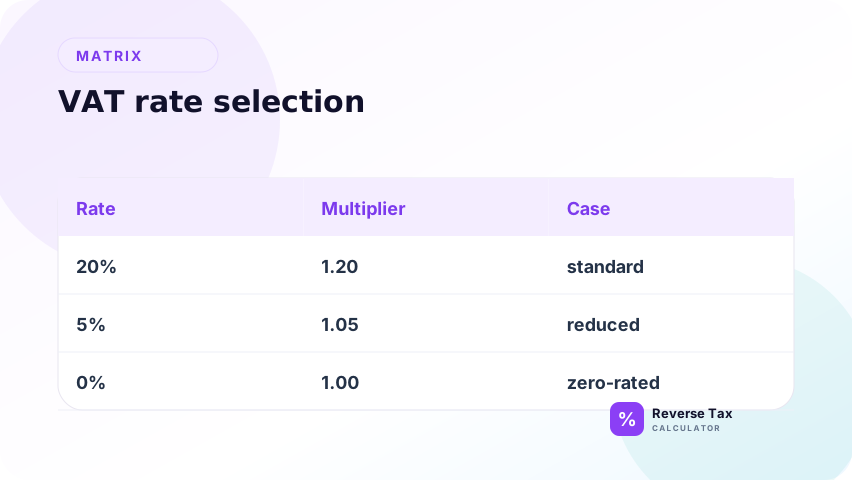
Net price = Gross price / 1.20
For 5 percent:
Net price = Gross price / 1.05
For 0 percent:
Net price = Gross price / 1.00
VAT Fraction Method
Some VAT rates have easy VAT fractions.
At 20 percent VAT:
VAT fraction = 20 / 120 = 1 / 6
So VAT included in a 120.00 gross price is:
120.00 x 1 / 6 = 20.00
At 5 percent VAT:
VAT fraction = 5 / 105
So VAT included in a 105.00 gross price is:
105.00 x 5 / 105 = 5.00
The division formula and VAT fraction method return the same answer when used correctly.
Step-by-Step Calculation
A step-by-step reverse VAT workflow protects against using the right formula on the wrong input. First confirm the price includes VAT, then identify the correct VAT rate, divide by the multiplier, and subtract to find VAT. The order matters because a gross total can include exempt items, zero-rated items, multiple VAT rates, or non-tax adjustments.
Use this workflow as a decision path rather than a memorized formula. The first step answers whether reverse VAT is even needed. The second step answers which rate controls the multiplier. The third step calculates the net amount. The fourth step identifies VAT. If the source document fails any step, the result should be marked as an estimate or split into separate VAT groups.
Step 1: Confirm the Price Includes VAT
Confirm that the price is VAT-inclusive before using a reverse VAT formula. If the invoice is VAT-exclusive, you should add VAT forward instead. If the document includes exempt, zero-rated, reduced-rate, or mixed lines, separate those lines before reversing the total.
This step is the taxability gate. It prevents the calculator from removing VAT from prices that are already net, zero-rated, exempt, or outside the VAT calculation.
Do not reverse VAT from a net price that does not include VAT.
Step 2: Identify the VAT Rate
Identify the VAT rate that applies to the item or service. VAT systems can have standard, reduced, zero, exempt, and outside-scope categories. The formula depends on the actual rate, so do not apply a 20 percent example to a 5 percent or zero-rated supply.
Use the invoice rate or official rate category where possible. If the rate is uncertain, mark the result as an estimate rather than presenting it as a verified VAT split.
Use the rate that applies to the item, country, and transaction date.
Step 3: Divide by the Multiplier
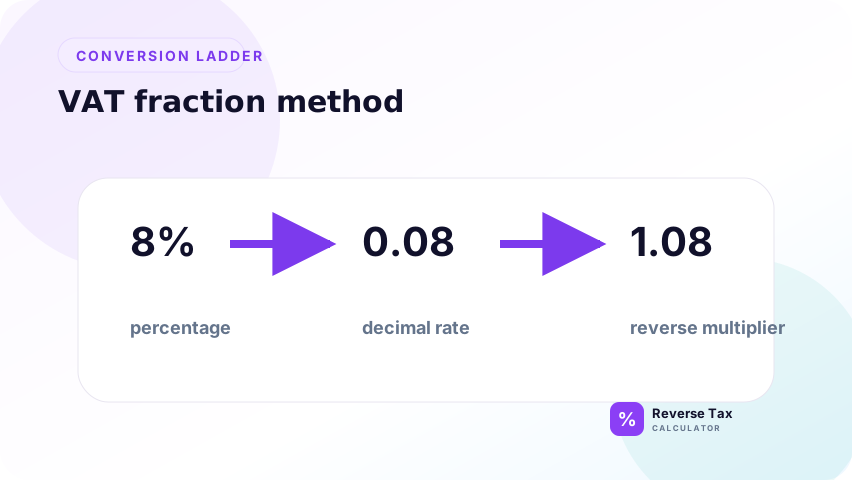
Divide the VAT-inclusive amount by 1 plus the VAT rate to recover the net amount. For 20 percent VAT, the multiplier is 1.20. For 5 percent VAT, it is 1.05. This step removes VAT without treating VAT as a percentage of the gross price.
The net amount is the value before VAT. It is the anchor for checking the VAT line, invoice total, and any bookkeeping split.
Example at 20 percent:
120.00 / 1.20 = 100.00
Step 4: Subtract to Find VAT
Subtract the net amount from the VAT-inclusive amount to find the VAT portion. This keeps the VAT amount tied to the original gross price and helps verify invoice arithmetic. If the invoice already shows VAT, use that line as source evidence and this step as a check.
If the calculated VAT differs by a small amount, check whether the invoice rounded by line, by VAT rate group, or by total.
120.00 - 100.00 = 20.00
Reverse VAT Examples by Rate
| Gross total | VAT rate | Multiplier | Net price | VAT included |
|---|---|---|---|---|
| 120.00 | 20 percent | 1.20 | 100.00 | 20.00 |
| 105.00 | 5 percent | 1.05 | 100.00 | 5.00 |
| 100.00 | 0 percent | 1.00 | 100.00 | 0.00 |
Reverse VAT at 20 Percent
At 20% VAT, divide the VAT-inclusive total by 1.20 to find the net amount. The VAT portion inside the gross amount is one sixth of the total because 20 divided by 120 equals 1/6. This is why VAT in 120.00 is 20.00, not 24.00. The rate is applied to the net price, not the gross price.
240.00 / 1.20 = 200.00
240.00 - 200.00 = 40.00
The net price is 200.00 and VAT is 40.00.
Reverse VAT at 5 Percent
At 5% VAT, divide the VAT-inclusive total by 1.05. This reduced-rate example matters because users often apply the standard-rate formula to every VAT receipt. If the item or service uses a reduced VAT rate, using 1.20 will understate the net amount and overstate VAT. Always match the rate to the actual supply.
210.00 / 1.05 = 200.00
210.00 - 200.00 = 10.00
The net price is 200.00 and VAT is 10.00.
Reverse VAT at 0 Percent
At 0% VAT, there is no VAT amount to remove from the gross price. Zero-rated supplies may still be different from exempt supplies for VAT reporting, but the reverse calculation does not subtract a VAT portion. If a price is zero-rated, the gross and net amount are the same for this arithmetic purpose.
200.00 / 1.00 = 200.00
200.00 - 200.00 = 0.00
There is no VAT amount to remove from a zero-rated price.
Reverse VAT on an Invoice
Suppose an invoice shows a VAT-inclusive gross amount of 600.00 and a VAT rate of 20 percent.
Net:
600.00 / 1.20 = 500.00
VAT:
600.00 - 500.00 = 100.00
| Invoice field | Amount |
|---|---|
| Gross invoice amount | 600.00 |
| VAT rate | 20 percent |
| Net amount | 500.00 |
| VAT amount | 100.00 |
If the invoice already shows net and VAT separately, use this method as a verification check.
Reverse VAT on a Refund
A VAT refund should follow the original taxable sale. Use the original rate and the refund amount that actually includes VAT. A refund may include item price, shipping, discount reversal, restocking fee, or goodwill credit, so do not reverse VAT from the final cash movement until the refunded taxable line is clear.
Suppose a VAT-inclusive refund is 60.00 at 20 percent VAT.
60.00 / 1.20 = 50.00
60.00 - 50.00 = 10.00
The refund contains 50.00 of net value and 10.00 of VAT, assuming the refund reverses a standard-rated sale.
Reverse VAT with Multiple Rates
Suppose an invoice has two VAT-inclusive groups:
| Group | Gross amount | VAT rate |
|---|---|---|
| Standard-rated items | 120.00 | 20 percent |
| Reduced-rated items | 105.00 | 5 percent |
Reverse each group separately:
120.00 / 1.20 = 100.00
105.00 / 1.05 = 100.00
Total net amount is 200.00. Total VAT is 25.00.
Do not combine 225.00 and divide by one rate.
Reverse VAT with an Exempt Line
Suppose an invoice total is 220.00:
| Line | Amount |
|---|---|
| Standard-rated gross amount | 120.00 |
| Exempt service | 100.00 |
| Total | 220.00 |
Reverse only the standard-rated amount:
120.00 / 1.20 = 100.00
120.00 - 100.00 = 20.00
The exempt service remains 100.00. It does not contain VAT to remove.
Reverse VAT with a Discount
Discounts change reverse VAT when they reduce the taxable price before VAT is finalized. In that case, reverse VAT from the discounted VAT-inclusive amount, not the original list price. If the discount is a later credit, reimbursement, or settlement adjustment, inspect the invoice sequence because the VAT base may not be the final cash amount.
Suppose a product was 150.00 before discount. A discount lowers the VATable net price to 100.00, and 20 percent VAT is added.
Gross price:
100.00 x 1.20 = 120.00
Reverse VAT from 120.00 returns 100.00, not the original 150.00:
120.00 / 1.20 = 100.00
Reverse VAT reconstructs the VATable base after discount.
VAT Rate Selection Table
| Question | Why it matters |
|---|---|
| Which country or tax system applies? | VAT rates differ by jurisdiction |
| Which product or service is sold? | Rate may be standard, reduced, zero, or exempt |
| What is the transaction date? | Historical rates can differ |
| Does the total include VAT? | Reverse VAT needs a gross amount |
| Are multiple rates present? | Each group needs its own calculation |
This table is the practical bridge between tax rules and the calculator.
Receipt and Invoice Clues
| Clue | Action |
|---|---|
| VAT included | Reverse from gross total |
| VAT added separately | Use net plus VAT verification |
| VAT rate shown | Use that rate |
| Multiple rates | Split by rate |
| Zero-rated item | Use 0 percent |
| Exempt item | Do not remove VAT |
Reverse VAT Operational Checklist
| Check | Why it matters |
|---|---|
| Gross price includes VAT | Confirms reverse calculation is needed |
| VAT rate is known | Controls multiplier |
| Items share one rate | Allows one total calculation |
| Exempt lines removed | Prevents false VAT amount |
| Zero-rated lines separated | Prevents over-removal |
| Refund tied to original sale | Uses correct rate |
| Rounding checked | Explains small differences |
Reverse VAT Decision Matrix
| Situation | Best action |
|---|---|
| One gross total and one VAT rate | Divide by multiplier |
| VAT amount already shown | Verify by subtraction |
| Multiple VAT rates | Group by rate |
| Mixed taxable and exempt items | Separate first |
| Refund | Use original sale evidence |
| Rounding mismatch | Check line-level rounding |
Common Mistakes
Common reverse VAT mistakes come from confusing rate, share, taxability, and document labels. VAT is the rate applied to the net price, but the VAT portion inside a gross price is a smaller share of the total. Other errors come from using the wrong rate, reversing exempt lines, ignoring multiple rates, and mixing net and gross amounts.
The safest correction is to classify the amount before calculating. Ask whether the amount is gross, net, exempt, zero-rated, reduced-rate, standard-rate, a refund, a discount, or a mixed invoice total. Once the entity is clear, the formula is usually simple. Most wrong answers come from applying the formula to the wrong amount.
Multiplying the Gross Price by the VAT Rate
At 20 percent, VAT in 120.00 is 20.00, not 24.00.
Using the Wrong Rate
VAT rates vary by country, product, and date.
Reversing Exempt Items
If VAT was not included, there is no VAT to remove.
Ignoring Multiple Rates
One invoice can include standard-rated, reduced-rated, and zero-rated lines.
Confusing Net and Gross
Reverse VAT starts from gross price. If you already have net price, calculate VAT forward.
What Reverse VAT Can and Cannot Prove
| Can prove | Cannot prove |
|---|---|
| Net and VAT from a gross total | Whether an item is legally VATable |
| VAT fraction at a known rate | Whether an exemption applies |
| Arithmetic consistency of invoice | Whether seller applied correct rule |
| Refund VAT split | Whether refund policy is compliant |
Reverse VAT is a math workflow. VAT classification still needs official rules or professional review.
Rounding in Reverse VAT
Rounding in reverse VAT matters because division by 1 plus the VAT rate can produce more than two decimal places. Invoices may round by line, by tax group, or by total. A one-cent difference should be investigated as a rounding issue before assuming the VAT rate is wrong. Keep precision in the working sheet and round only final display values.
VAT calculations can produce fractions of a cent. A receipt may round VAT by line, by tax group, or by invoice total.
Example:
19.99 / 1.20 = 16.6583...
Rounded net price may be 16.66 and VAT may be 3.33. A one-cent mismatch does not always mean the VAT rate is wrong.
Entity Map for Reverse VAT
| Entity | Meaning |
|---|---|
| Gross price | VAT-inclusive price |
| Net price | Price before VAT |
| VAT rate | Percentage applied to net price |
| VAT amount | Difference between gross and net |
| VAT status | Standard, reduced, zero-rated, or exempt |
| Rate group | Lines that share the same VAT rate |
Reverse VAT is accurate only when the gross price, rate, and VAT status describe the same group of items.
Mini Audit Before You Reverse VAT
The mini audit asks whether the price includes VAT, which VAT rate applies, whether the total contains one VAT treatment, and whether the source document already shows VAT. If the invoice shows VAT separately, use it as evidence. If the total mixes multiple rates or exempt lines, split the lines before calculating.
Ask these three questions before calculating:
- Is the amount gross or net?
- Which VAT rate applies to this exact item or line group?
- Are exempt or zero-rated lines mixed into the total?
If any answer is unknown, treat the result as an estimate until the receipt, invoice, or official rule confirms it.
What This Page Does Not Cover
| Topic | Better page |
|---|---|
| UK VAT | How to Remove UK VAT from a Price |
| GST | How to Reverse GST from a Total |
| HST | How to Reverse HST from a Total |
| Multiple taxes | Reverse Formula for Multiple and Stacked Taxes |
Frequently Asked Questions
How do I remove 20 percent VAT from a total?
Divide the VAT-inclusive total by 1.20, then subtract the result from the total.
What is VAT in 120.00 at 20 percent?
The net price is 100.00 and VAT is 20.00.
Why is VAT not 20 percent of the gross price?
Because the VAT rate applies to the net price, not the gross price.
Can I use the same formula for every VAT rate?
Yes, but change the multiplier to match the rate.
What if there are multiple VAT rates?
Split the invoice or receipt by VAT rate and reverse each group separately.
Sources
These sources support VAT context and official rate confirmation. The formulas on this page come from the arithmetic relationship between net price, VAT rate, gross price, and VAT amount. Use official tax authority guidance for taxability, invoicing, registration, input tax, and filing decisions. Use this page for reverse calculation and document interpretation.
Because VAT rules differ by country, rate category, product type, transaction date, and business status, sources should be used to confirm the legal context before relying on a calculation for records or filings. A reverse VAT calculator can explain the arithmetic, but it cannot decide whether a supply is standard-rated, reduced-rated, zero-rated, exempt, outside scope, or eligible for input tax recovery.